How to Control Your Motorised Louvre Roof with a Remote or App
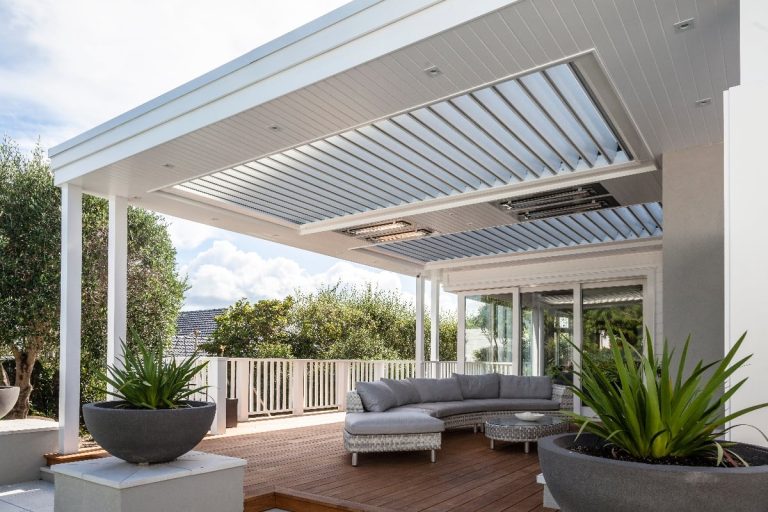
Want seamless control over your outdoor space? With a motorised louvre roof remote or roof automation app, you can adjust shade, airflow, and sunlight with just a tap or voice command. Whether you’re avoiding a sudden downpour or creating the perfect ambience, smart control makes all the difference.
In this guide, we’ll explore the full range of control options, from traditional remotes to cutting-edge apps, so you can choose the best setup for your needs. We’ll break down how smart remote controls, weather sensors, and louvre tech integrate to create an automated, energy-efficient, and stylish outdoor experience.
Why Go Motorised? The Benefits of a Remote-Controlled Louvre Roof
Upgrading from manual operation to a motorised louvre roof provides:
| Benefit | Description |
| Convenience | Adjust with a single click or app, no physical effort needed |
| Weather Protection | Auto-close with sensors during wind or rain |
| Smart Integration | Connect to smart homes (Alexa, Google Home) |
| Energy Efficiency | Schedule opening/closing for passive cooling |
| Modern Appeal | Sleek, tech-savvy upgrade to traditional patio setups |
Smart Remote Control Options for Your Louvre Roof
Controlling your roof with a remote is one of the most common and user-friendly methods. Let’s explore the types:
Single Vs Multi-Channel Remotes
Wall Switch Options
Prefer a clean look? Consider in-wall wireless switches like the Smoove series.
Key Remote Features to Look For
Using a Roof Automation App to Control Your Louvre
Apps are perfect for controlling your louvre from anywhere—even when you’re not home.
Top Apps for Roof Automation
| App Name | Platform | Key Features |
| Teleco Daisy | iOS/Android | Remote access, zone control, scheduling |
| Somfy Connexoon | iOS/Android | Real-time control, timer-based actions |
| Somfy TaHoma | iOS/Android | Full smart-home integration + voice assistant control |
How to Set Up Your Roof Automation App
Sensor-Based Automation for All-Weather Control
Smart sensors add a whole new level of automation to your system.
Types of Sensors
These sensors work alongside your remote or app, providing hands-free weather response.
Smart-Home Integration and Voice Commands
With voice assistants and smart hubs, you can create custom routines like:
“Hey Google, open the louvre roof and turn on the patio lights.”
Popular Integrations
Use smart speakers or your smartphone to activate scenes like “Morning Shade” or “Evening Breeze.
Choosing the Right Motorised Louvre Tech for Your Setup
Before buying, consider:
| Factor | Consideration |
| Motor Type | Somfy, Alpha, or Acmeda compatible? |
| Power Source | Hardwired or solar-powered |
| Control Method | Remote, app, or both? |
| Sensor Support | Does it support wind/rain sensors? |
| Retrofit Friendly? | Can it be added to existing manual roofs? |
DIY kits like Teleco Noon Duo or ShawSmart Drives are excellent for retrofits, while complete factory-installed systems offer full automation.
Troubleshooting and Maintenance Tips
Common Issues & Fixes
| Issue | Solution |
| Remote not responding | Check batteries, re-pair the remote |
| App not syncing | Restart router, check bridge connection |
| Motor stuck | Reset the motor, check for debris or blockages |
| Sensor not triggering | Clean sensor head, test via manual override |
Conclusion
Switching to a motorised louvre roof remote or roof automation app brings unmatched convenience, control, and comfort. Whether you’re lounging on a sunny afternoon or sheltering from rain, smart control puts the power in your hands or your voice.
From remotes to apps and weather responsive sensors, louvre tech is transforming how we use outdoor spaces.
Frequently Asked Questions
Can I control multiple louvre zones with one remote?
Yes, multi-channel remotes like Telis 4 or Noon Duo can control different zones or products simultaneously.
Do I need Wi-Fi to use a roof automation app?
Yes, most apps require Wi-Fi to connect your smartphone to the control hub or motor system.
What happens during a power outage?
Most systems stop responding, but battery backup units or manual override options are available for some models.
Can I upgrade a manual roof to smart control?
Yes, DIY conversion kits with actuator motors and remotes make retrofitting easy.
Are smart remotes weatherproof?
Not all keep handheld remotes indoors or use weather-sealed wall switches..